
Convention Systems Project
Convention Treasurer Tools
Financial tools for managing convention income, expenses, deposits, disbursements, reports, registration activity, and merchandise accounting in one focused Treasurer workspace.
Explore the Treasurer DemonstrationA practical financial workspace designed around the real responsibilities of a convention treasurer.
Convention Treasurer Tools brings together the financial activity that takes place before, during, and after a convention. Transactions, deposits, disbursements, merchandise income, and reports remain connected so the treasurer can follow the flow of money without maintaining separate spreadsheets.
CTT also integrates with convention registration and merchandise workflows so completed activity can create matching convention income records, while categories and reporting groups keep different sources of income organized for the treasurer.
Transactions
Record and review convention income and expenses with categories, payment methods, references, notes, and transaction history.
Deposits & Disbursements
Group income into deposits and expenses into disbursements while preserving the underlying transaction relationships and totals.
Financial Reports
Review income, expenses, balances, cash flow, transaction registers, deposit registers, disbursement registers, and the Treasurer report.
Registration & Merchandise Integration
Receive convention income from registration and merchandise workflows while using categories and reporting groups to keep registration, merchandise, and related income organized for reporting.
What to Explore in the Demonstration
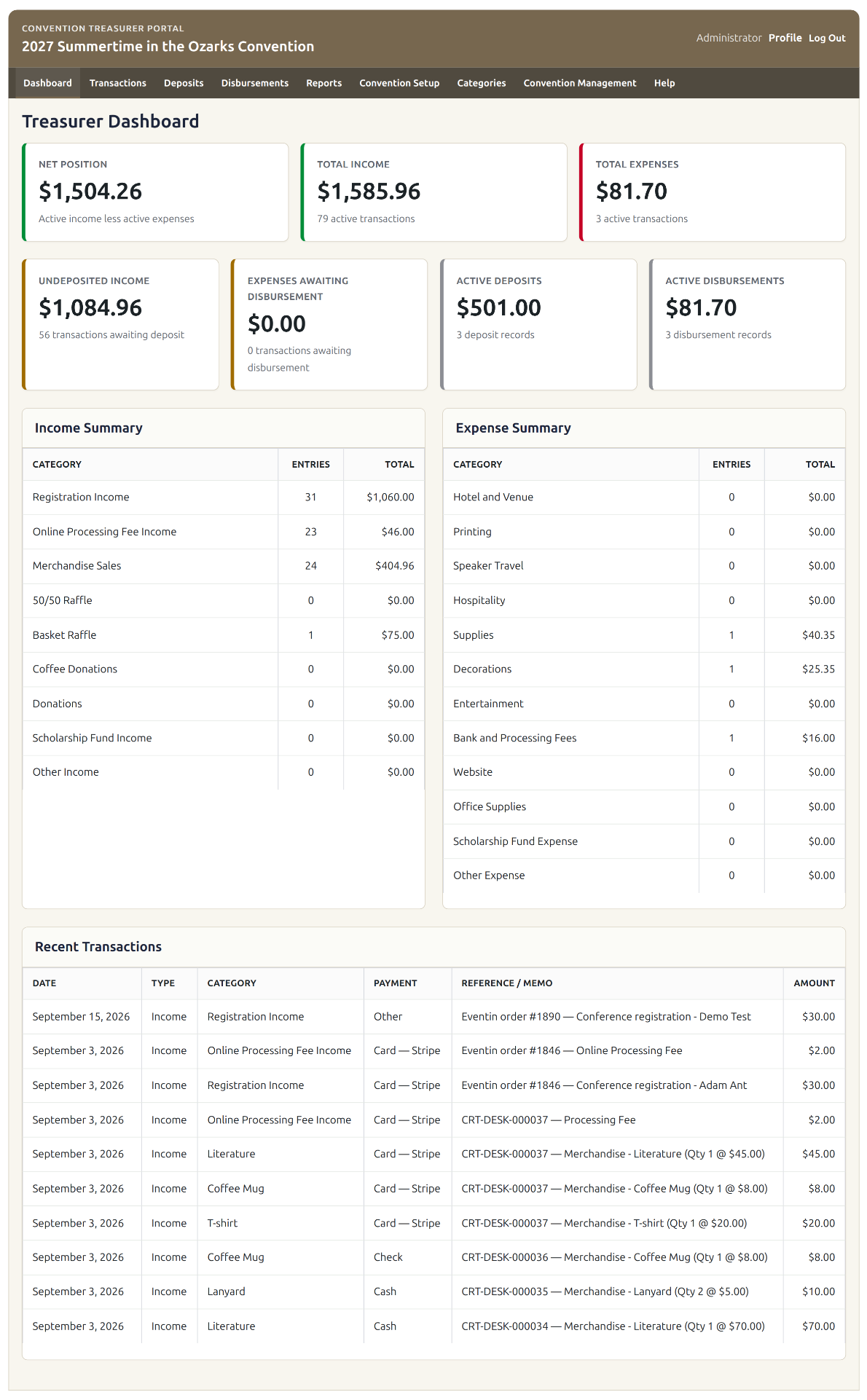
- Review the dashboard summary of convention income, expenses, deposits, disbursements, and net position.
- Open transaction records and see how different sources of convention income are categorized and reported.
- Review merchandise income and the reporting groups used to organize merchandise activity.
- Explore deposits and disbursements and their linked underlying transactions.
- Review the available financial reports and Treasurer's Notes feature.
Demonstration — Read Only
The demonstration uses fictional sample data. Explore the interface freely; changes are disabled.